

HotMoE:
local AI, plug & play on your PC
Chat and agents with AI models that run on your own computer. No account and no subscription: your conversations, files and email stay on your PC.
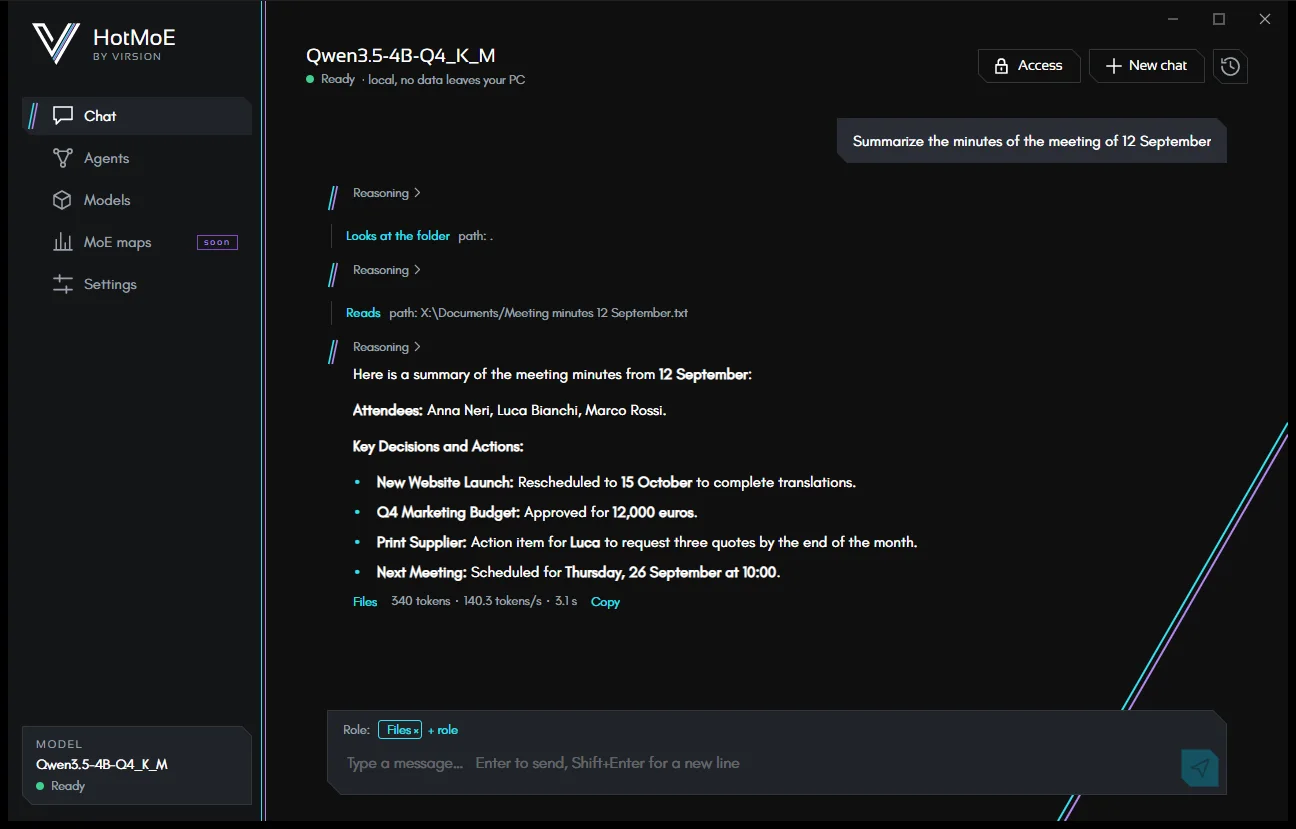
Chat
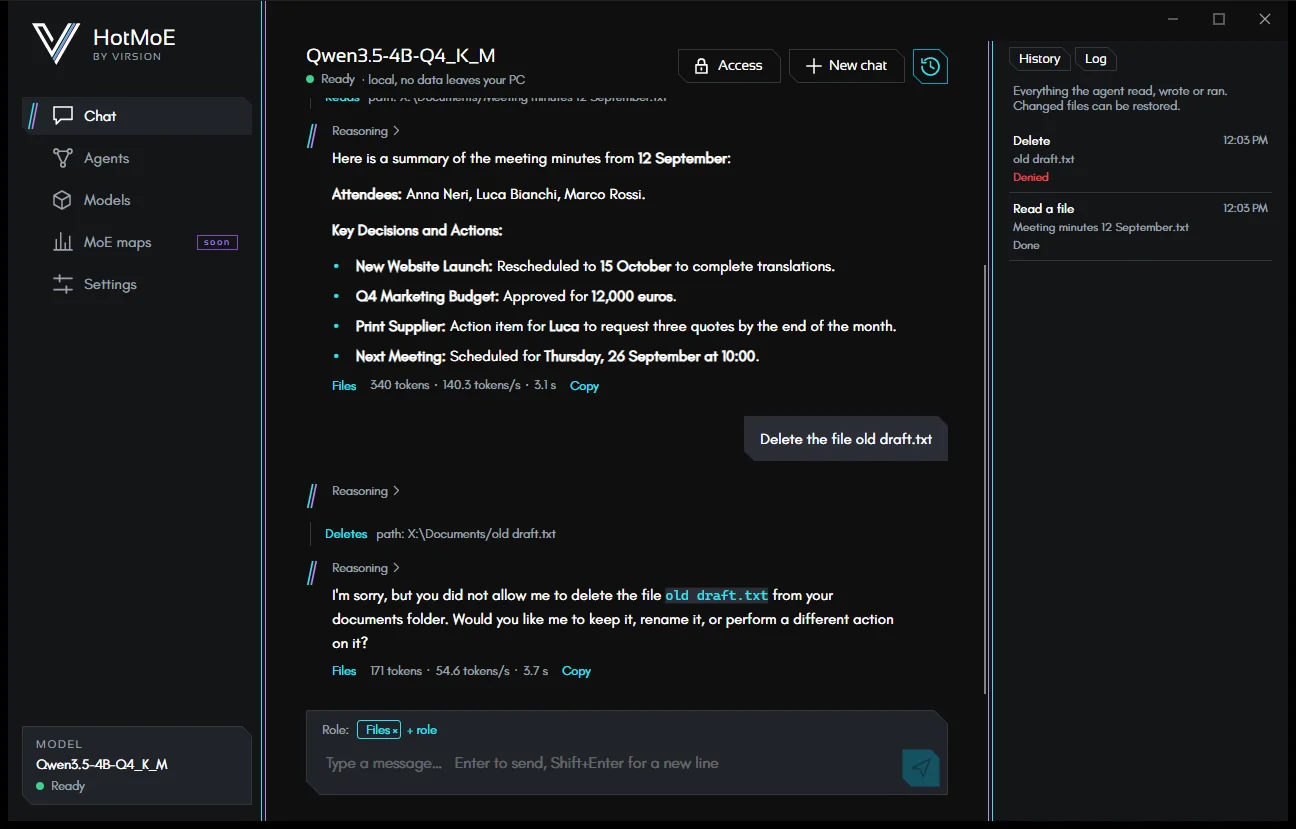
Conversations with a local model: visible reasoning, formatted text, code, tables and history.
The chat that works
When needed, the chat searches and reads your files or your email: it picks the right role for the request by itself.
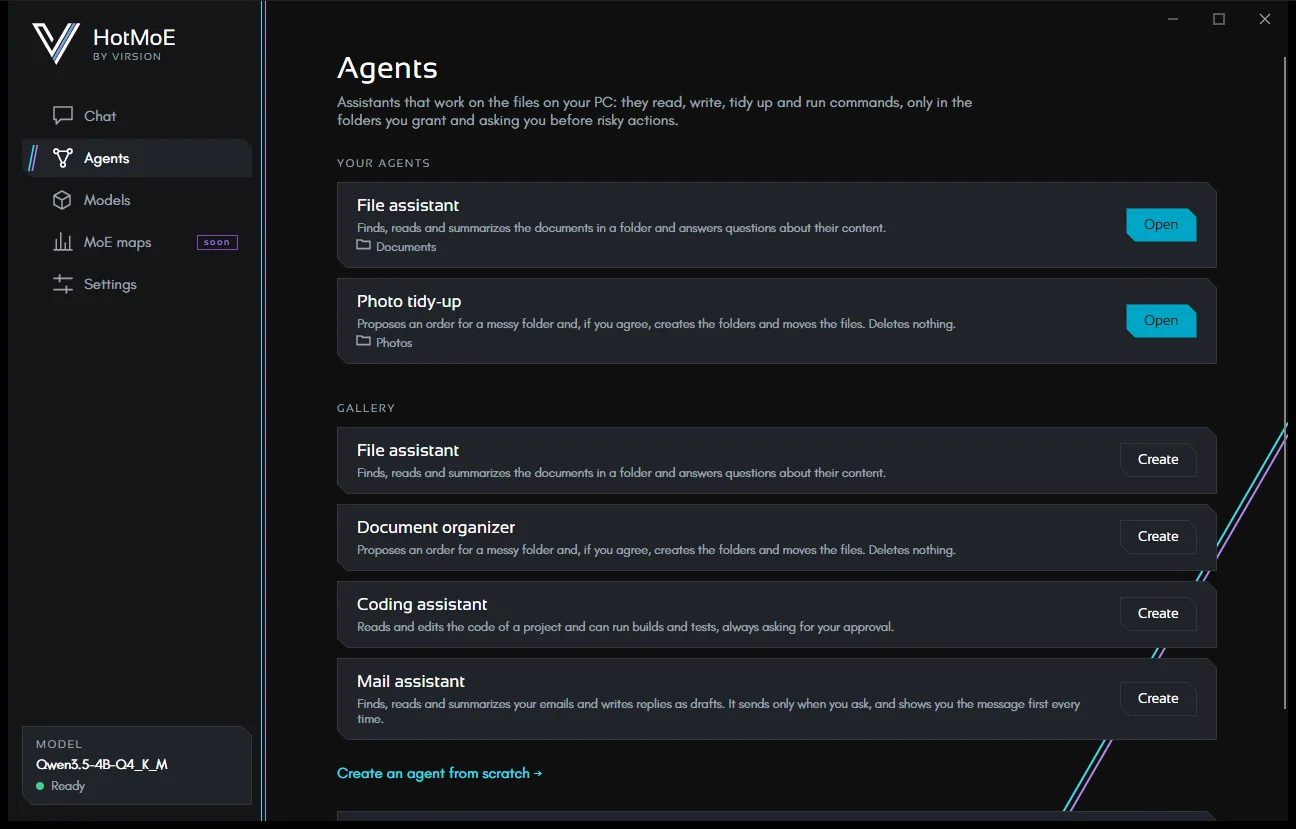
Agents
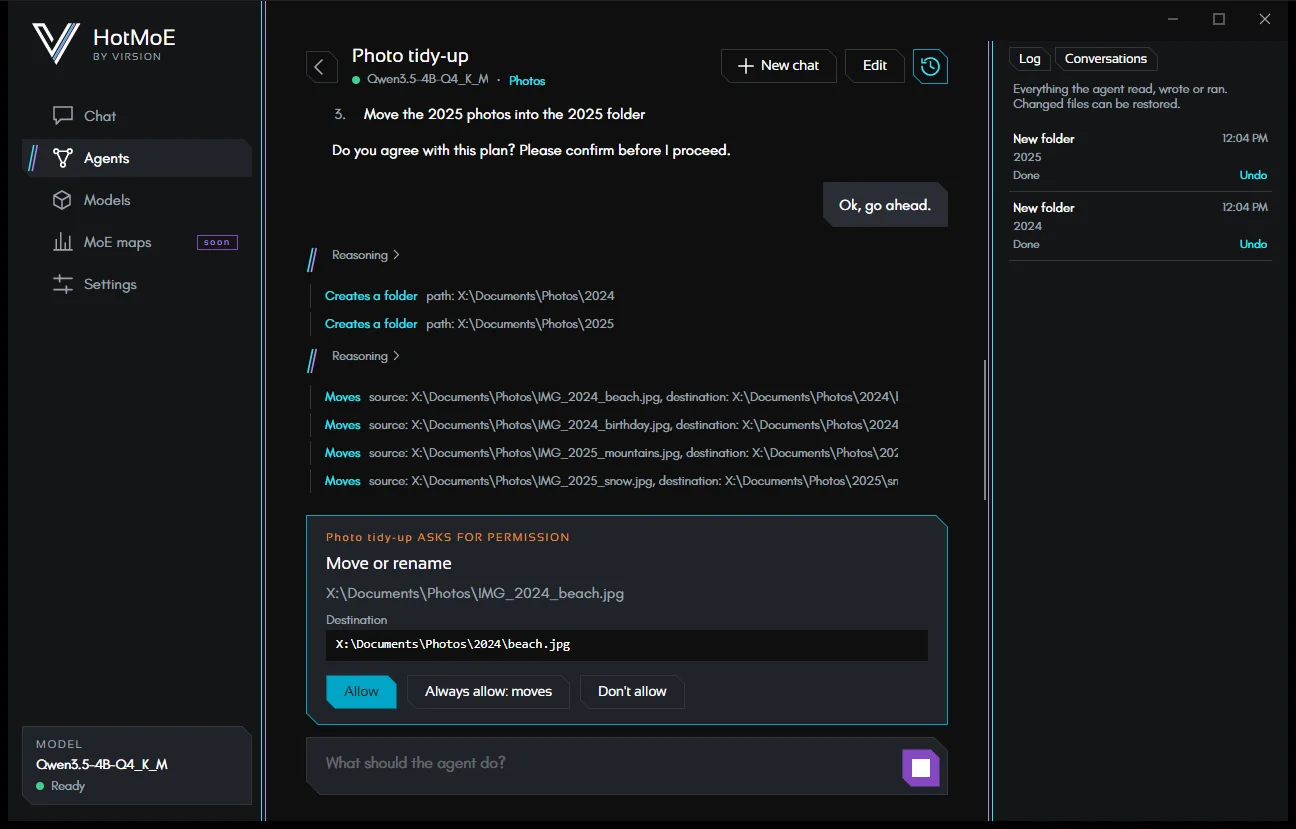
Saved assistants with their own instructions, folders and permissions. They tidy up folders, work on code, use MCP tools.
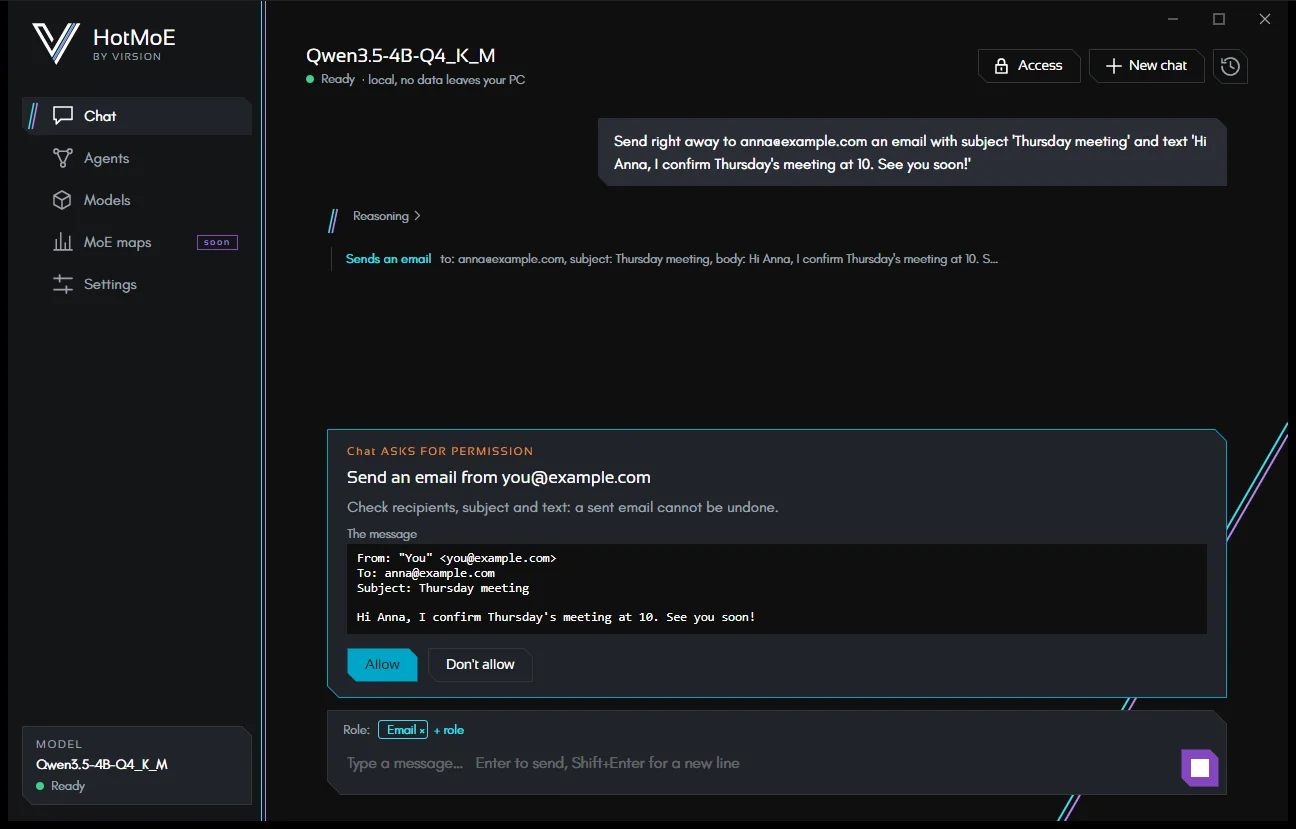
Link Gmail, iCloud, Yahoo, Libero or your own domain: search, read, save attachments, write drafts. It sends only with your yes.
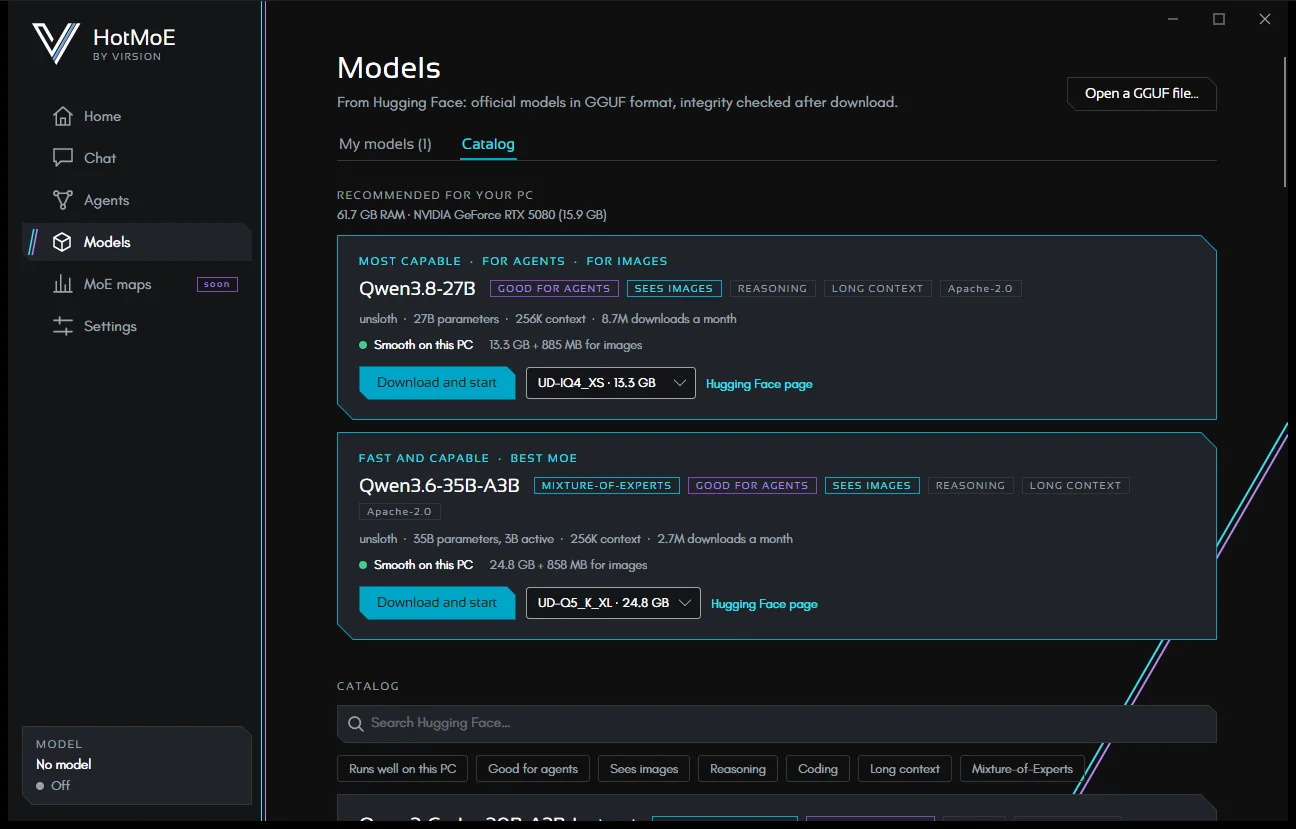
Models
A catalog read from Hugging Face, with the models recommended for your PC. Downloads that resume and are integrity-checked, or your own GGUF files.
Five languages
English, Italian, French, German and Spanish. Models reply in the language you write in.
The frontier of local AI
Many of the largest open models are Mixture-of-Experts: tens or hundreds of experts in each layer, but for each token (a piece of a word) only a few are at work. HotMoE is named after this technology.
We are studying how to run MoE models larger than your computer’s memory, and faster, on PCs that would not have the hardware for them: by keeping ready the experts you really use.
- 01
Profile
The profiler has the model read texts like those it will be used on (documents, code) and notes which experts activate.
- 02
Map
The result is a map: which experts to always keep in memory and which to leave on disk.
- 03
Load smartly
The “hot” experts stay in memory; the others are read from disk only when needed. This way a model larger than the PC’s memory runs much faster.
Beyond the limits of memory
HotMoE applies the state of the art of research on local AI — caching the experts, choosing among those already in memory, splitting the work between processor and graphics card — and adds its own: a map of the experts built for a kind of content, and selective fidelity with quality measured on familiar and unfamiliar text. The result: many more tokens per second from models too big for the machine they run on. And the research goes on: we are studying new methods to make local AI models even more efficient, such as reading experts from the disk in blocks, keeping the least-used ones at reduced precision, and maps that adapt to the topic of the conversation.
- Qwen3-235B quantized to 4 bits (125 GB, about 470 GB at full precision), on a PC with 64 GB of RAM and a 16 GB graphics card. 64 tokens on text similar to the map’s; each step includes the previous ones.
- Without a map the model has to fetch from the disk every expert that is not already in memory, and which ones stay there is left to chance. The multiplier is relative to stock llama.cpp without a map on the same PC: 1.12 tokens/s in everyday use.
- From selective fidelity on, the Fast mode: perplexity +0.48% on text similar to the map’s, +6.1% on different text. The Balanced mode, the app’s default, costs +0.18% and +2.6%.
- The last bar is our best run so far, with every optimization on and the RAM at its rated speed. In the app, with Balanced fidelity: 5.1 tokens/s, and 4.4 on different text.
Partly available: the app already uses a map when there is one for the model you load. Creating maps inside the app, with a guided procedure, is still in development.
How MoE maps workPrivacy and security
Everything runs locally. Granted folders, confirmations for risky actions, a log of every action and undo.
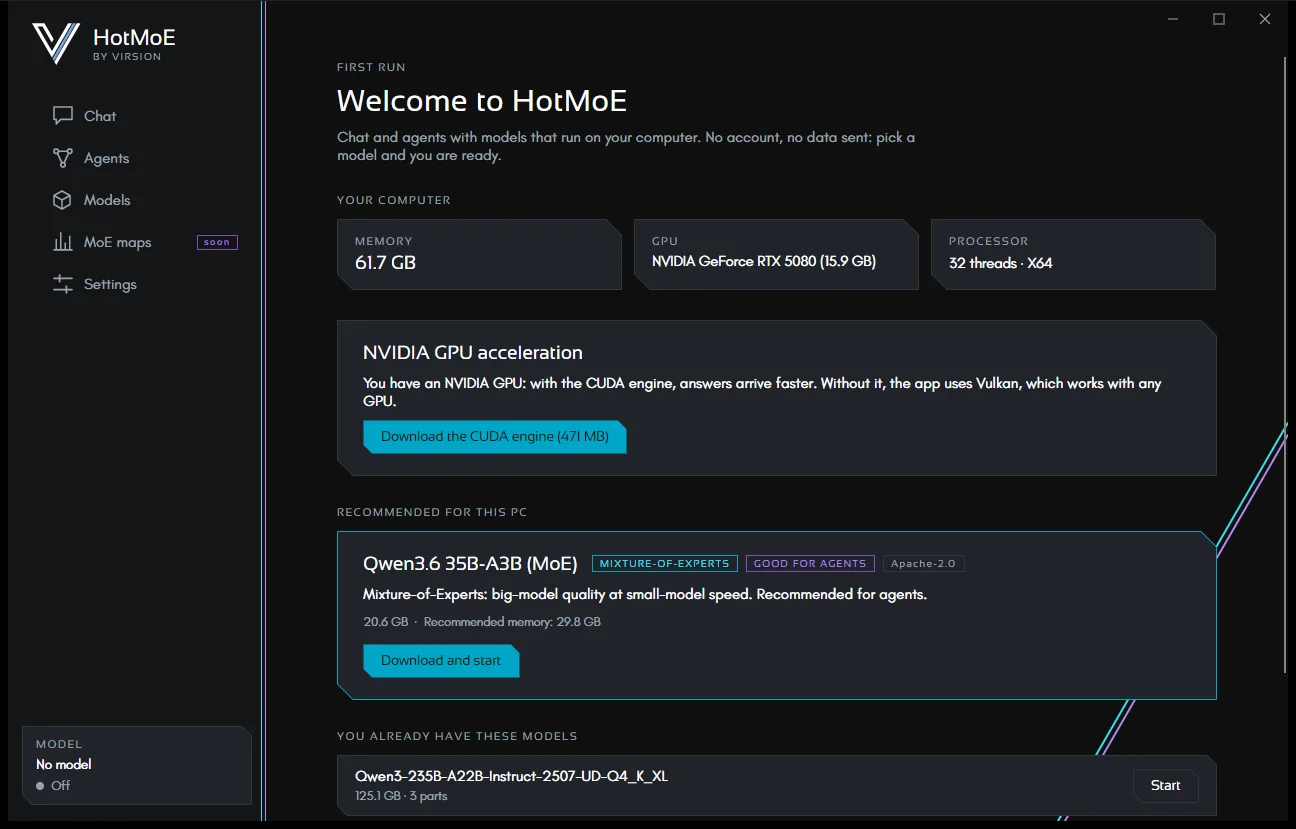
Inside the app
Requirements
- System
- 64-bit Windows 10 or 11. Linux and macOS are in preparation.
- Memory
- Depends on the model you choose. For each model the app estimates how it runs on your PC, and recommends the ones that fit.
- Disk
- The space of the models you download: each model shows its size in the catalog.
- Graphics card
- Optional. Any GPU with the included Vulkan engine; NVIDIA with driver 580 or later for the CUDA engine.
- Internet
- Only to browse the model catalog, download models and engine, and for email if you use it. After that, chat and agents work offline.
Want to try HotMoE?
HotMoE is in preview: the Windows installer will come with the first public release, together with automatic updates.